
Run the day.
From one desk.
The day-to-day operations desk for any business that runs a day — a clinic, a salon, a shop, a trades crew: who is coming today, every client’s record, the waitlist and recalls, the services you sell, the stock you use, the hours your staff work and the reports that add it up.
14 days free · $0 today · no card needed

Today, on one screen
Schedule, clients, invoices and what needs doing.
Gaps filled, recalls booked
The waitlist and recall lists keep the book full.
Stock and services
One catalog feeds invoices and bookings; low stock is flagged.
Staff hours
Clock-ins and totals ready for payroll.

Command Center, on screen.
Every recording below is the real ThreeDay app on a demo account — the names and numbers in it are made up.
What Command Center does
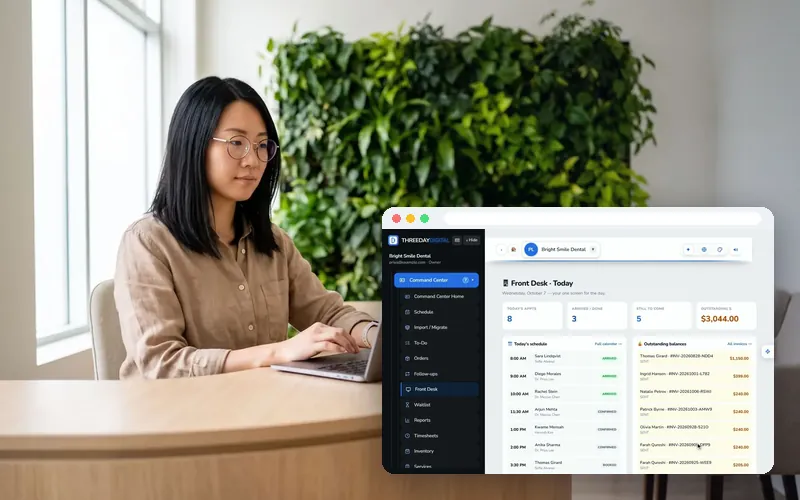
The whole front desk on one screen.
Today’s schedule, clients, invoices and what needs doing, live.
- Who is coming today
- What needs doing
- Updates by itself
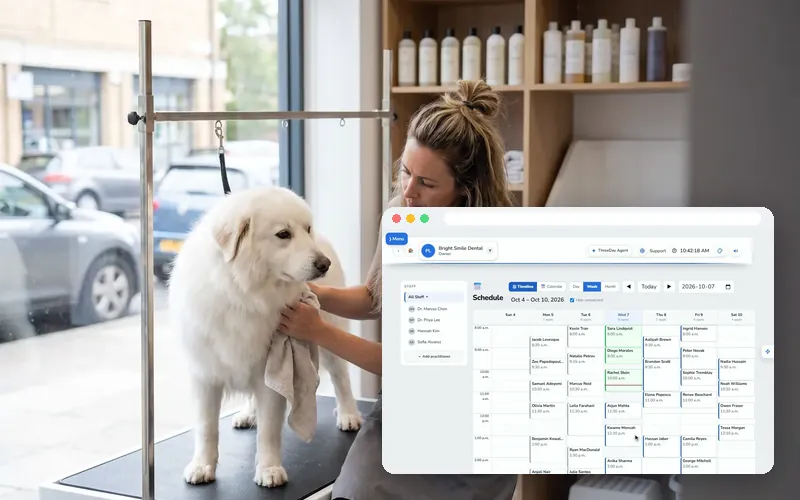
The appointment book.
Day and week views; book, move and cancel, with every visit tied to the client’s record.
- Day and week
- Book, move, cancel
- Tied to the client’s record
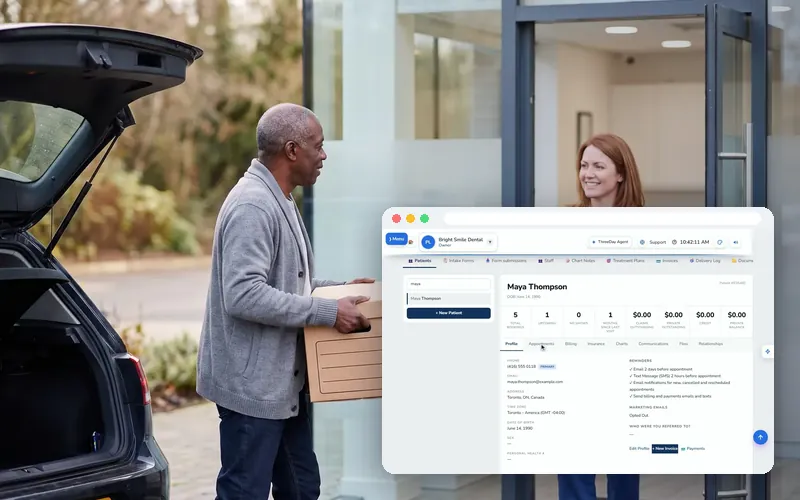
Every client on file.
Search a name and see their visits, billing and notes in one record.
- One record per client
- Visits and billing together
- Notes the whole desk can read
Fill the gap, keep the visit.
Who is waiting for an opening. When a slot frees up, fill it from here instead of losing it.
- Who is waiting
- Fill a freed slot fast
- No visit lost
Clients due back.
Recall lists, so follow-up visits get booked instead of forgotten.
- Who is due
- Book the follow-up
- Nothing forgotten
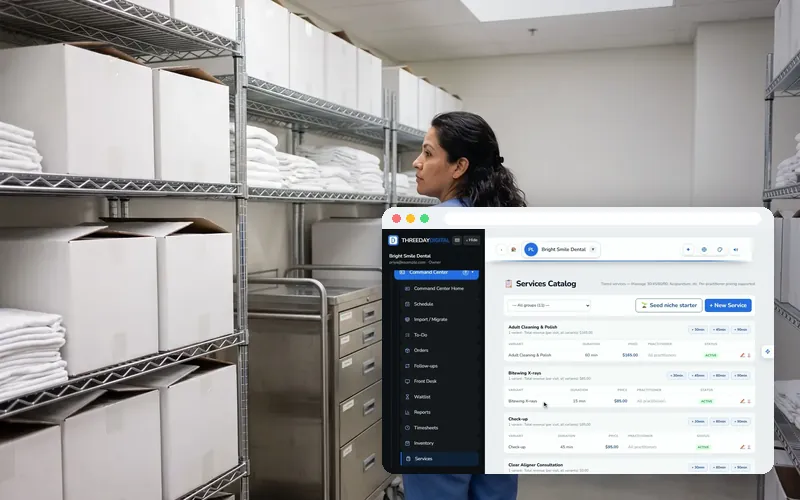
Everything you sell, in one catalog.
Each service with its price and how long it takes. Invoices and scheduling both draw from it.
- Price and duration
- Feeds invoices and bookings
- Change it once
Know what is running low.
Stock levels for the things you sell and use, before they run out.
- Stock at a glance
- Low-stock warnings
- For what you sell and use
Staff hours in one place.
Clock-ins and totals by person and period, ready for payroll.
- Clock-ins
- Totals by person
- Ready for payroll
The numbers, without a spreadsheet.
Operational reports on revenue, visits, staff and services.
- Revenue and visits
- Staff and services
- Pick the period
Small things stop slipping.
The front desk task list: assign it, date it, check it off.
- Assign and date it
- Check it off
- The whole desk sees it



What it costs
Included in Business Hub ($99/mo, no phone line, no per-user pricing) and Front Desk Pro (from $224/mo, with the AI receptionist). USD, month to month, $0 setup, 14 days free.
Learn it, step by step
Questions about Command Center
Can my team use it too?
Yes — invite teammates with their own logins and roles, chat internally in Team Chat, and hand off conversations without forwarding screenshots around.
I run multiple brands or client accounts — can I manage them all?
For social, yes — ThreeDay Social runs posting for every business you own — plus your agency clients — from one screen: each business gets its own prompt, AI model, reference images and history, one click generates for all of them at once, and one button publishes to all of their connected channels. No logging out, no switching accounts.
Can I resell ThreeDay to my own clients?
Yes, as an affiliate. Affiliates earn 15% of every payment the businesses they bring make — 20% once six are paying — and agency partners run each business from their own affiliate desk. It’s free to apply. How the affiliate program works →
Works with the rest of ThreeDay
Try Command Center on your own business.
14 days free, $0 today, no card. Cancel in a click.