It’s 7:00 pm. The shop is dark.
Riley answers, books the eye exam for next week and texts the confirmation.

A day with her on the line
Four moments from a day at an optometry clinic with ThreeDay answering.


What she handles for optometry clinics
Eye exams
- Books adult, child and contact-lens exams as you set them up
- Takes who the exam is for
- Texts the confirmation
Urgent eye problems
- Puts a sudden change or an injury through to the doctor or your on-call number
- Offers your next opening for the rest
- Takes the details either way
Glasses & contacts
- “Are my glasses ready?” goes to your desk as a message
- Takes reorder requests for your staff
- Answers your hours for pickups
Coverage questions
- The plans and coverage you accept, from what you tell her
- What an exam costs
- Takes a message when she doesn’t know
Recalls & reminders
- Calls or texts the recall list you give her
- Reminds patients the day before and two hours before
- Rebooks when one is cancelled
Evenings & weekends
- Answers 24 hours a day, in 30+ languages
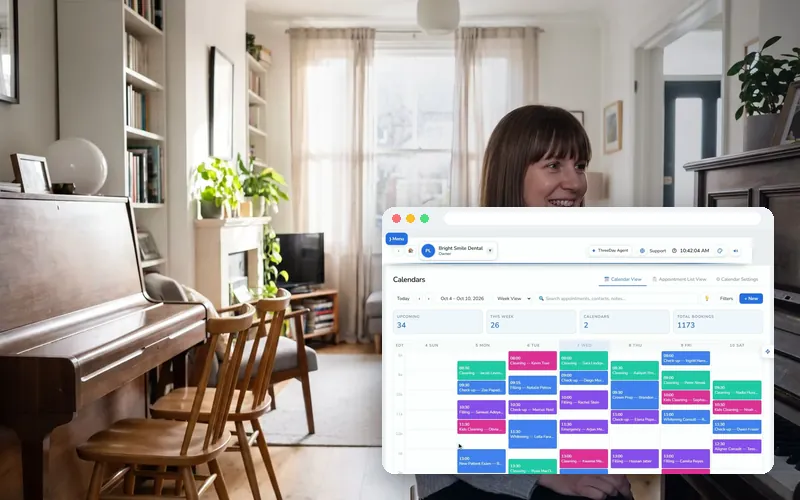
- Books for your next clinic day
- You open to exams, not voicemails
Set it up in an afternoon
Four steps, each with a recording of the real screen. Every recording here is the real ThreeDay app on a demo account: the names and numbers in it are made up.
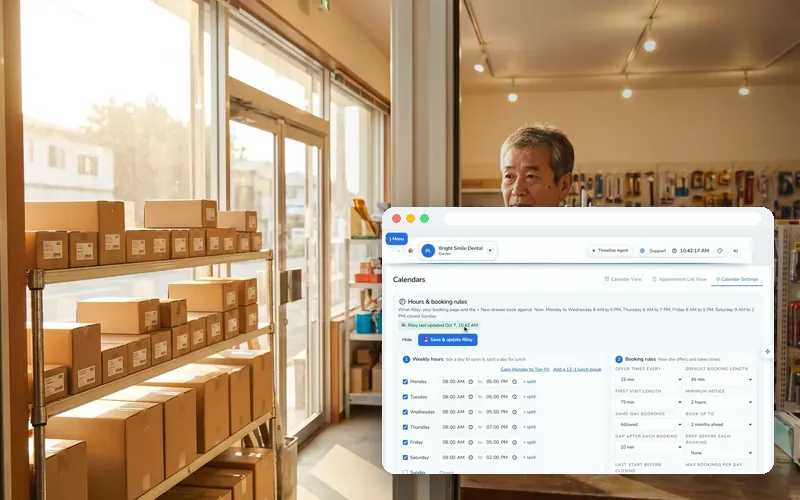
Set the hours she books eye exams by
- Open Calendar → Settings → 🕘 Hours & booking rules.
- Set your opening hours and how much notice you need before a eye exam.
- Set how far ahead people can book, and save.
Write the greeting an optometry clinic would use
- Open AI Receptionist and write the greeting the way your front desk answers today — your business name, her name, and how she can help.
- Set which eye exams she can book and how long each one takes.
- Give her a transfer number for the calls that need you — she gives no medical advice, so those go to your team as a message or a transfer.
Teach her your everyday answers
- In Agent Studio, add what patients ask most: the plans and coverage you accept, from what you tell her.
- Add notes, your website or a document to her Knowledge base.
- Press Save & publish — nothing reaches your line until you publish.
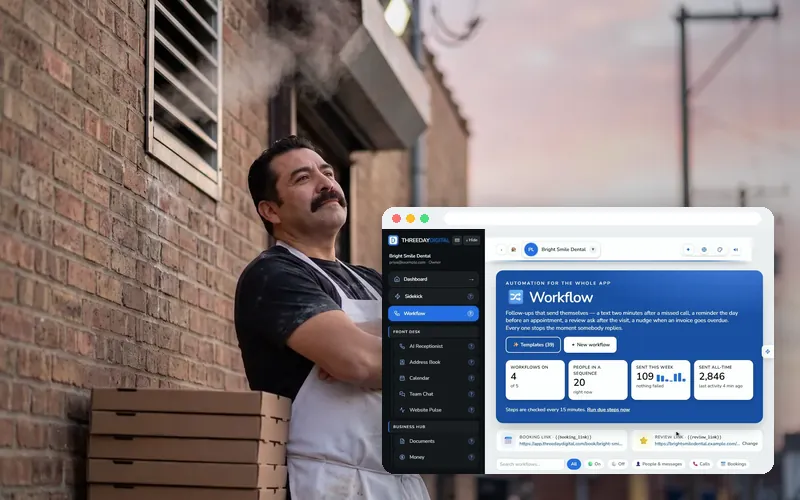
Switch on the follow-ups
- Open 🔀 Workflow → ✨ Start from a template.
- Start with the missed-call text back, then a reminder before each eye exam.
- Use “Test on me”, then turn it on. Each one stops the moment they reply.
What optometry clinics commonly use today
Named only as the practice software such businesses commonly run. ThreeDay is not affiliated with them and does not claim to connect to them: she books into your ThreeDay calendar and alerts you, and your team adds it to your system the way they add any phone booking today.
Built for the way optometry clinics work



Questions optometry clinics ask
We already use our practice software. Do we have to switch?
No. Riley books into your ThreeDay calendar with the hours and exam types you set and alerts you for every booking. Your team adds it to your system the way they add any phone booking today, so nothing about it changes. If you’d rather run the schedule in ThreeDay, it’s included.
What does she do when someone’s eye suddenly hurts?
What you tell her to. Most clinics have her put a sudden change in vision or an injury through to the doctor or the on-call number, and offer the next opening for everything else.
Does she give medical advice?
No. She books, answers the practical questions you set her up with, and takes a message for the doctor when a call needs one.
Can we keep our number?
Yes. We port your number over, or you keep it and forward calls to her: all day, only after hours, or only when you can’t pick up.
Hear it for yourself
Call Jordan, our clinic demo line, and ask for an appointment this week.